Leave Request (Admin View)
Review and action leave requests from staff.
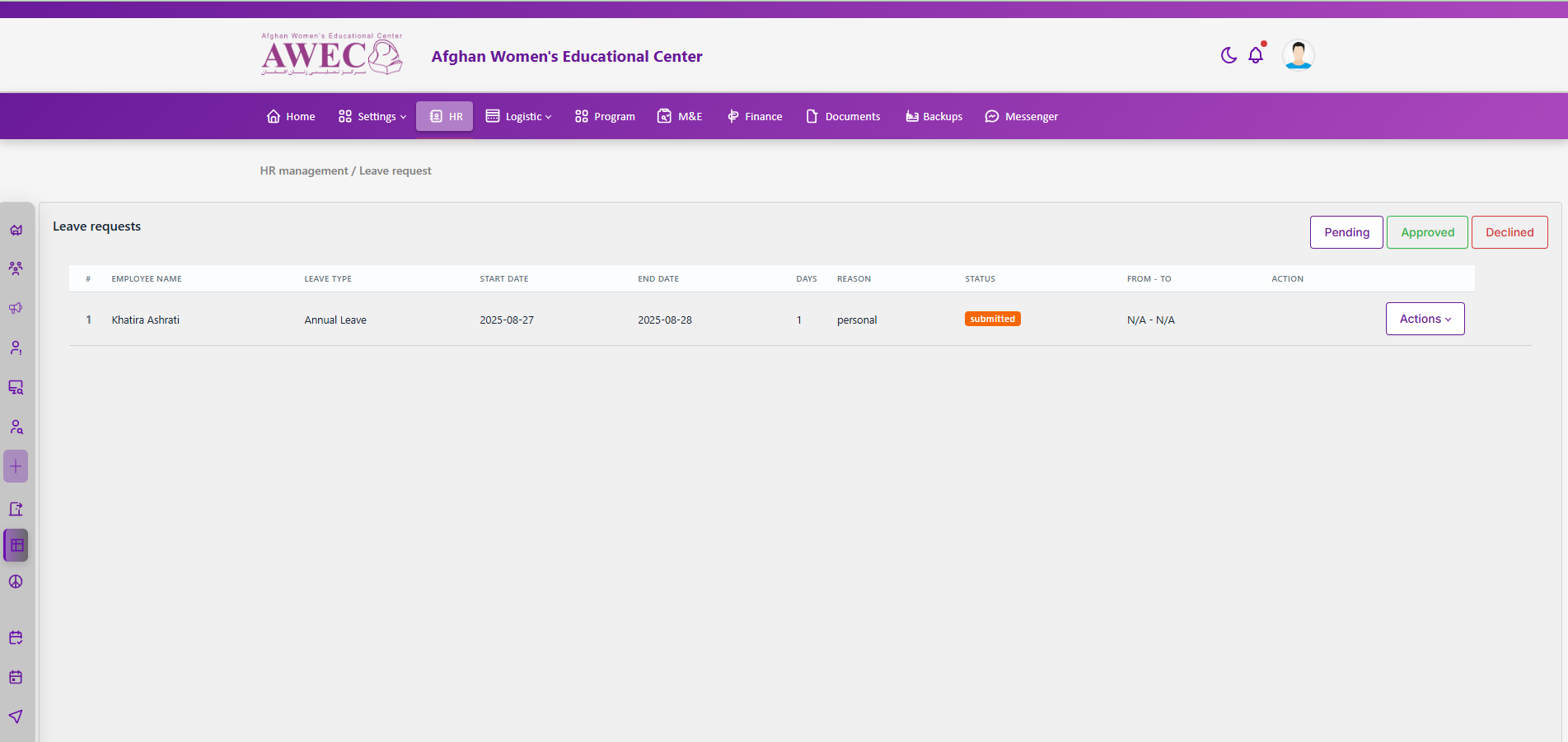
Access
- Requires permission to view and act on leave requests.
UI overview
- Steps filter: Pending, Approved, Declined (buttons across the top)
- Table columns: #, Employee Name, Leave type, Start date, End date, Days, Reason, Status, From - To, Action
- Status badge color varies by steps (Pending=warning, In-review=secondary, Approved=success)
- Pagination: pager at the bottom
Actions
- Approve (if permitted)
- Decline (if permitted)
Workflow
- Choose a steps tab (Pending/Approved/Declined).
- Review the table and open Actions for a request.
- Approve or Decline. Status badge updates accordingly.
Notes
- Time window “From - To” shows sign-in/out times if recorded, else N/A.