My Leave Requests
Submit and track your personal leave.
Access
- Requires permission to create/view your own leave requests.
UI overview
- Status chart: “Leave Request Status {year}” at the top
- Search box: filter your requests by text
- Table columns: #, Leave type, Start date, End date, Days, Reason, Status, From - To, Action
- Status badges vary by steps (Pending/Review/Approved)
Create a request
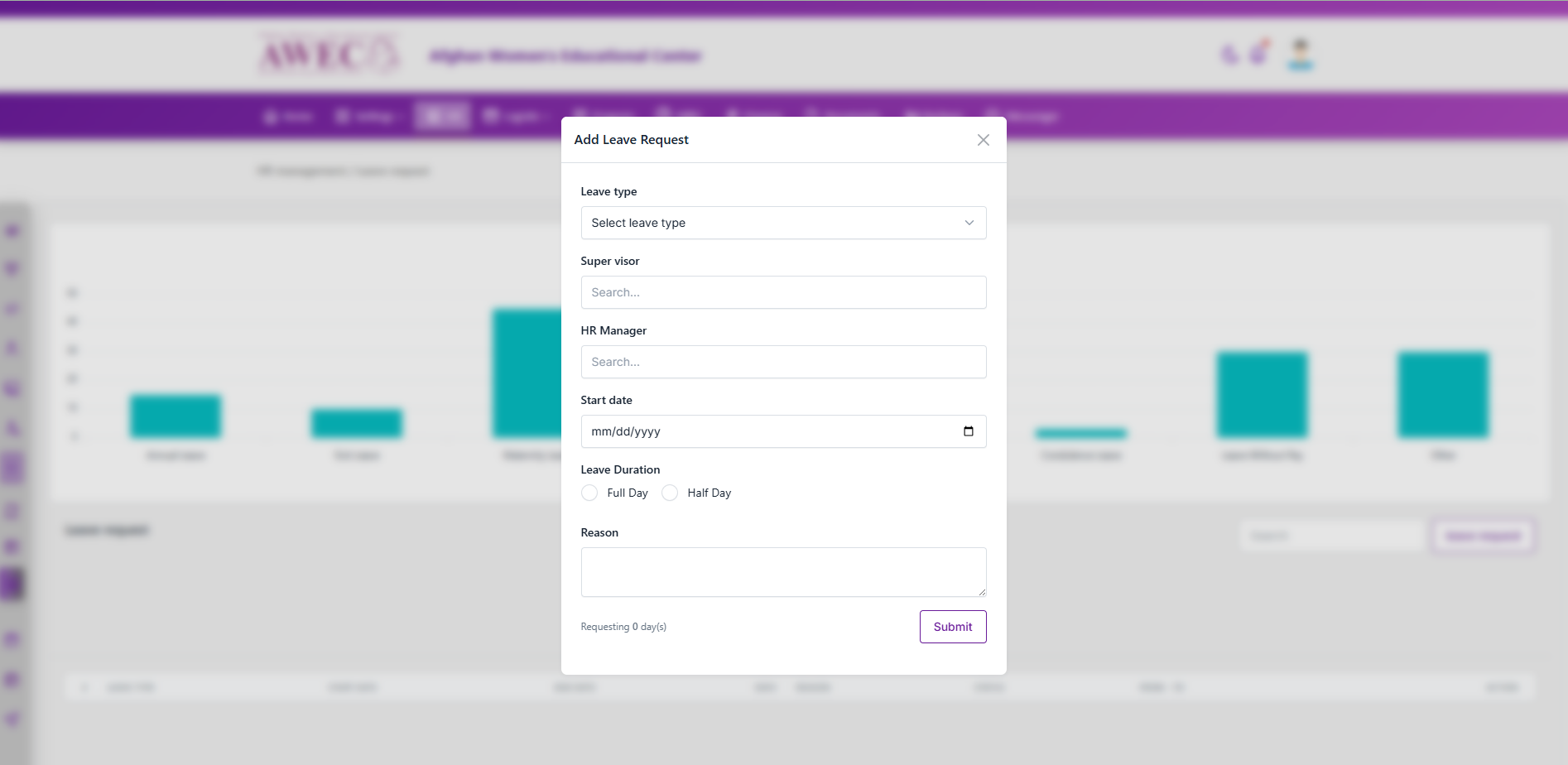
- Click “leave request” (Add) to open the modal.
- Fill in:
- Leave type
- Supervisor (searchable dropdown)
- HR Manager (searchable dropdown)
- Start date
- Leave Duration: Full Day or Half Day
- Full Day → set Days; times are cleared automatically
- Half Day → set Sign In/Out times; Days is cleared automatically
- Reason
- Submit. A small summary text shows the requested span (days or half-day window).
Manage requests
- Actions: Edit, Delete, Download form, Cancel Leave (as available)
- Edit request uses the same duration logic as create (Full/Half day behavior)
Notes
- “From - To” shows 8:00 AM - 4:00 PM by default when times are not provided.