Procurement Dashboard
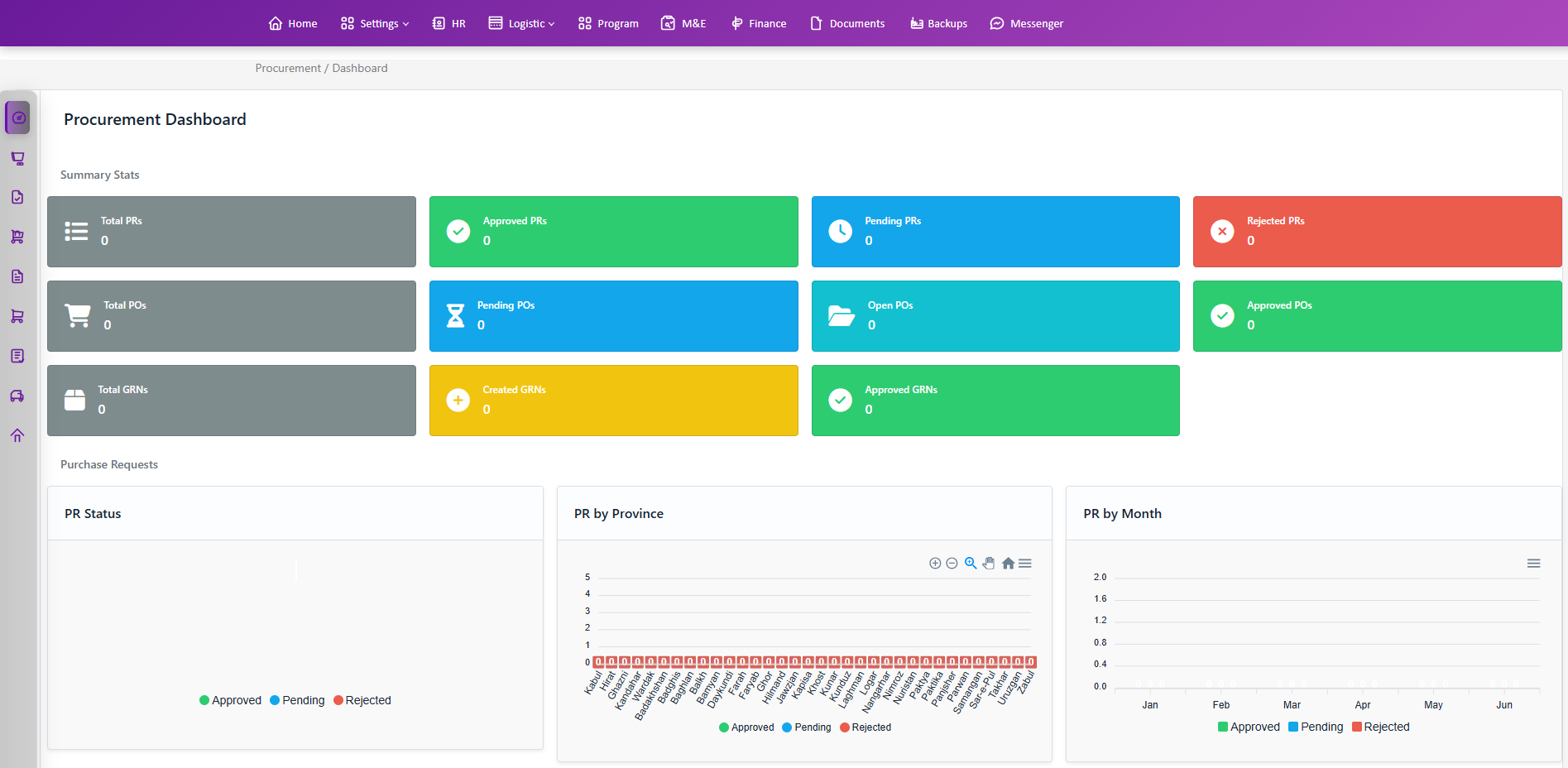
At a glance view of Procurement activity with KPIs, charts, and a live Purchase Requests table.
What you see:
- Summary stat cards (counts)
- PR: Total, Approved, Pending, Rejected
- PO: Total, Pending, Open, Approved
- GRN: Total, Created, Approved
- Charts per domain (ApexCharts)
- PR: Status (donut), by Province (area), by Month (bar)
- PO: Status (donut), by Province (area), by Month (bar)
- GRN: Status (donut), by Province (area), by Month (bar)
- Purchase Requests table with inline filters at the bottom of the page
Interactions:
- Charts automatically render using live data; when the backend updates, charts receive a Livewire event (chartsUpdated) to refresh series and categories.
- The Purchase Requests table supports:
- Filters: Status (Approved/Pending/Rejected), Province, and keyword Search
- Columns: ID, Requester, Requisition #, Date, Total Amount, Donor, Type, Province, Status, Actions (View)
- Pagination
Screenshot:
Access & route
- Permission:
view logistics Dashboard - Route name:
procurement.dashboard - Sidebar: see
resources/views/livewire/procurement/pr-menu.blade.php